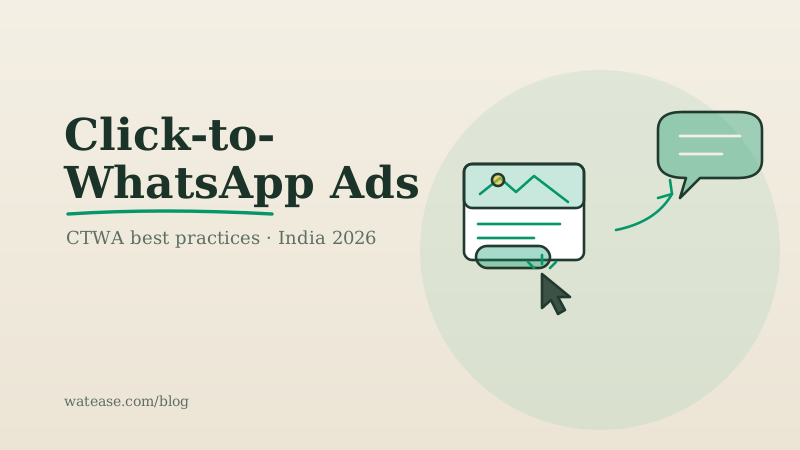
Click-to-WhatsApp (CTWA) ads are, for a lot of Indian businesses, the single most efficient paid channel available in 2026 — when they're run properly. A Click-to-WhatsApp ad is a Facebook or Instagram ad that, instead of sending the tap to a website, opens a WhatsApp chat with your business. The buyer arrives in your inbox already in a conversation. For Tier-2 and Tier-3 audiences who distrust unfamiliar checkout pages but reply to a WhatsApp message instantly, that is a structurally better funnel than a landing page.
The catch: CTWA punishes sloppiness. Send every tap to a human agent with no qualification, optimise for "conversations started," and you'll pay for a flood of low-intent chats. This is the end-to-end playbook to avoid that.
1. Match the creative to the conversation
The fastest way to waste CTWA budget is a creative that promises one thing and a chat that delivers another. If the ad says "Flat 40% off ethnic wear," the welcome message must open on that offer — not a generic "Hi, how can we help?"
- Lead with the specific offer or product in the creative.
- Use the ad's "message button" copy to set the expectation ("Chat to get your 40% code").
- Make sure the first automated message references the exact ad the user tapped.
2. Capture opt-in correctly (DPDPA matters)
A CTWA conversation that the user initiates gives you a service window to reply, but to send future marketing you need recorded, purpose-specific consent. Under DPDPA 2023, opt-in must be free, specific, informed, and auditable.
- Add a clear opt-in step in the welcome flow ("Reply YES to get launch alerts and offers").
- Log the opt-in source, timestamp, and purpose — not just the phone number.
- Honour opt-out (STOP) requests immediately to protect your quality rating.
3. Build an instant, automated welcome flow
Response speed is the whole game. A lead who taps your ad and waits ten minutes for a reply has already opened a competitor's. An automated welcome flow — ideally via the WhatsApp Business API — should fire within seconds.
A good welcome flow does three things:
- Acknowledges the exact offer from the ad.
- Asks one or two qualifying questions (city, budget, product interest).
- Routes the qualified lead to a human agent or a catalog, and the non-qualified one to self-serve content.
Run your business on WhatsApp with WatEase
Set up in minutes with guided onboarding. 0% markup on WhatsApp messages.
Get started →Want a plan sized to you? Get a quote
4. Qualify before you involve a human
This is where most CTWA programmes break. Every tap is not a lead. Use a short automated qualification step so your agents only spend time on buyers who clear a threshold.
| Without qualification | With qualification |
|---|---|
| Every tap hits an agent | Only qualified taps hit an agent |
| Agents burn out on tyre-kickers | Agents focus on closeable leads |
| Meta optimises for cheap chats | Meta optimises for qualified leads |
| High cost-per-sale | Low cost-per-sale |
5. Close the conversion-tracking loop
If you only optimise for "conversations started," Meta will happily find you the cheapest possible conversations — which are rarely the most valuable. Wire chat outcomes back to Meta so the algorithm optimises for the event that matters.
- Connect the WhatsApp Business API to the Meta conversions API.
- Fire a custom event when a lead is qualified and again when an order is placed.
- Optimise the campaign for the qualified-lead or purchase event, not the top-of-funnel chat.
- Tag every CTWA campaign so leads attribute to the correct ad set in your CRM.
For a deeper view on why last-click attribution under-credits this kind of assisted conversion, see incrementality and ROAS in the glossary.
6. Run it on a platform built for commerce, not just an inbox
CTWA leads are most valuable when the chat can go all the way to a paid order — catalog, in-chat UPI checkout, GST invoice — without leaving WhatsApp. A platform that only offers a shared inbox makes you bolt the commerce layer on yourself. WatEase wires the welcome flow, qualification, catalog, UPI/Razorpay/PhonePe/Paytm checkout, GST invoicing, and conversions-API loop into one stack, priced on request with a plan customised to your business.
The mistakes that waste CTWA budget
- No welcome automation — slow replies kill conversion.
- No qualification — agents drown in low-intent chats.
- Optimising for chats, not sales — Meta finds cheap, useless conversations.
- Creative-to-chat mismatch — the offer in the ad isn't honoured in chat.
- Ignoring opt-in — you can't legally re-market, and your number's quality rating suffers.
Run CTWA as a full funnel — match, opt-in, welcome, qualify, track, close — and it becomes the cheapest qualified-lead channel most Indian businesses have. Run it as "ads that open a chat" and it becomes an expensive way to collect tyre-kickers.
Comparing platforms to run this on? See our guide to the best WhatsApp platform in India.