GST is the part of selling online that most Indian sellers either over-worry about or ignore entirely — and both are costly. This 2026 guide explains, in plain language, when you need to register, what a compliant invoice looks like, which returns to file, and how marketplaces change the rules. It is educational, not tax advice: confirm specifics with a chartered accountant, because thresholds and rates change. For the broader picture of starting a store, pair this with our guide to creating a free online store in India.
Do You Even Need GST to Sell Online in India?
Not always — it depends on where you sell and how much. The single biggest factor is whether you sell through your own store or through a marketplace.
- Your own store (e.g. a WhatsApp store): GST registration is generally optional until your annual turnover crosses ₹40 lakh for goods or ₹20 lakh for services (lower in special-category states).
- A marketplace (Amazon, Flipkart, Meesho): GST registration is usually mandatory regardless of turnover, because marketplaces are ecommerce operators that must collect tax at source against your GSTIN.
So a small seller running a WhatsApp store can legitimately start without GST, while the same seller listing on Amazon would need to register first. If you're weighing those channels, see our WhatsApp store vs Amazon & Flipkart comparison.
What Are the GST Registration Thresholds in 2026?
The thresholds are turnover-based, and they differ for goods versus services and for special-category states. Crossing the limit triggers a 30-day window to register.
| Supply type | Standard states | Special-category states |
|---|---|---|
| Goods | ₹40 lakh | ₹20 lakh |
| Services | ₹20 lakh | ₹10 lakh |
Even below these limits, register if you sell through ecommerce operators, supply inter-state taxable goods, or simply want the credibility and input-tax-credit benefits that a GSTIN brings. Many sellers register voluntarily once they're serious, because it unlocks B2B customers and some payment-gateway features.
What Does a GST-Compliant Invoice Need?
A tax invoice is only valid if it carries the right fields — missing details can invalidate input tax credit for your buyer and create problems in an audit. Here's the checklist every invoice must satisfy.
- Your business name, address, and GSTIN
- A unique, sequential invoice number and the invoice date
- Customer name, address, and GSTIN (for B2B sales)
- Description of goods/services with HSN/SAC code, quantity, and unit
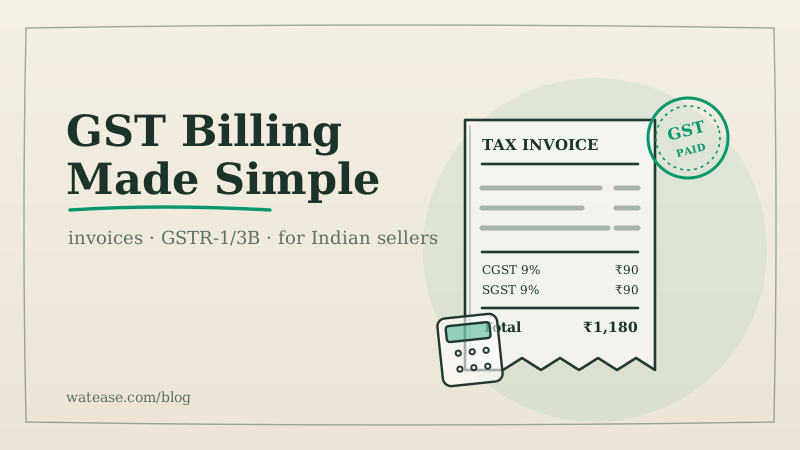
- Taxable value, then GST split: CGST + SGST (intra-state) or IGST (inter-state)
- Total invoice value, in words and figures
This is exactly where a WhatsApp commerce platform earns its keep: WatEase generates compliant invoices automatically on every order, with the CGST/SGST/IGST split and HSN codes filled in, so you're not assembling them by hand.
Run your business on WhatsApp with WatEase
Set up in minutes with guided onboarding. 0% markup on WhatsApp messages.
Get started →Want a plan sized to you? Get a quote
How Do GST Rates and CGST/SGST/IGST Work?
GST is charged in slabs, and the same rate is simply named differently depending on whether the sale crosses a state border. Understanding the split prevents the most common invoicing error.
- Slabs: most goods and services fall under 5%, 12%, 18%, or 28%, with essentials at 0% (exempt/nil-rated). The slab is decided by the product's HSN code.
- Intra-state sale (buyer in your state): the rate splits equally into CGST + SGST. An 18% item = 9% CGST + 9% SGST.
- Inter-state sale (buyer in another state): the full rate is charged as IGST. The same 18% item = 18% IGST.
Getting the HSN code and slab right matters — when in doubt, confirm with a CA or the official rate finder rather than guessing.
Which GST Returns Do You File, and When?
Most regular sellers file two returns, and smaller sellers can opt into a lighter quarterly scheme. Filing on time avoids late fees and keeps your input tax credit intact.
| Return | What it reports | Frequency |
|---|---|---|
| GSTR-1 | Details of your sales (outward supplies) | Monthly, or quarterly under QRMP |
| GSTR-3B | Summary of sales, input credit, and net tax payable | Monthly (QRMP: pay quarterly) |
The QRMP scheme lets taxpayers with turnover up to ₹5 crore file GSTR-1 and GSTR-3B quarterly while paying tax monthly — useful for smaller online sellers. A platform that exports GSTR-1/3B-ready reports (like WatEase) saves hours, but the actual filing should run through your accountant.
When Is E-Invoicing Mandatory?
E-invoicing means generating an Invoice Reference Number (IRN) on the government portal for your B2B invoices — and it kicks in only above a turnover threshold. Many small sellers are exempt, but the threshold keeps dropping, so don't assume.
As of 2026, e-invoicing applies to businesses with aggregate annual turnover from ₹5 crore and above, for B2B (and export) invoices. Below that, it's not required. Because this limit has been progressively reduced since its introduction, verify the current figure with a chartered accountant before concluding you're out of scope. WatEase supports IRN generation where applicable, so the workflow is built in once you cross the line.
What Changes When You Sell on a Marketplace?
Marketplaces add two GST wrinkles that don't exist on your own store: mandatory registration and TCS. Knowing them helps you compare channels honestly.
- Mandatory GST registration — you generally cannot sell taxable goods on Amazon/Flipkart/Meesho without a GSTIN, even below the turnover threshold.
- TCS (Tax Collected at Source) — the marketplace collects 1% (0.5% CGST + 0.5% SGST, or 1% IGST) on your net taxable sales and deposits it against your GSTIN; you reconcile and claim it when filing.
On your own WhatsApp store there's no marketplace TCS and no forced registration below the threshold — one reason many sellers keep their highest-margin and repeat business on a channel they own. The full trade-off is in our cost-to-start breakdown.
How Do You Keep GST Simple as You Grow?
The sellers who stay sane about GST do three things: automate invoicing, keep clean records, and lean on a professional for filing. Don't try to do it all manually.
- Automate invoices — use a platform that raises compliant tax invoices on every order so numbering, HSN, and the CGST/SGST/IGST split are never wrong.
- Keep digital records — store invoices, purchase bills, and payment records; you'll need them for returns and any audit.
- Work with a CA for filing — software prepares the data; a chartered accountant ensures the rates, returns, and deadlines are right.
That combination keeps compliance from becoming a tax on your time. To start with GST-ready invoicing built in, create your WatEase store and add your GSTIN in settings. For authoritative rules, always refer to the official GST portal (gst.gov.in) and your accountant — this guide is a starting point, not a substitute for professional advice.