You do not need a website, a developer, or a single rupee of upfront cost to start selling online in India. The fastest free route in 2026 is a WhatsApp store — a catalog buyers browse, order from, and pay for inside the chat app that hundreds of millions of Indians already use every day (Meta has reported 500M+ WhatsApp users in India, 2023). This guide compares every free option honestly, then walks you through the quickest one. Once your store is live, our SEO playbook for Indian D2C brands shows how to pull organic traffic into it.
What Are Your Options for a Free Online Store in India?
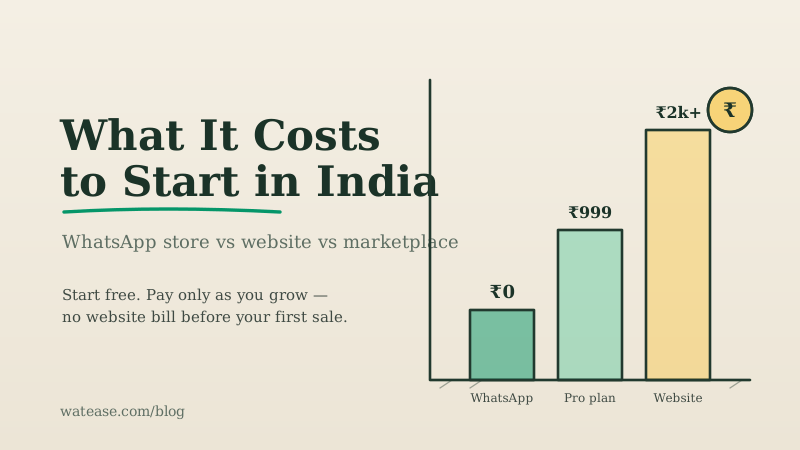
There are four realistic ways to sell online in India for little or no upfront cost, and they are not equal. The right one depends on whether you have traffic, how much margin you can give up, and how fast you need to launch.
| Option | Upfront cost | Time to launch | Commission per sale | Best for |
|---|---|---|---|---|
| WhatsApp store (WatEase) | On request | Under 5 minutes | 0% (UPI 0% MDR) | Sellers who want to own the customer and start today |
| Marketplace (Amazon, Flipkart, Meesho) | Free to list | 1–3 days | Category-dependent (check each marketplace's fee schedule) | Sellers who need instant traffic and accept thin margins |
| Free website builder | Free plan, paid to scale | 1–2 weeks | Gateway fees only | Sellers who already have an audience to drive to a site |
| Instagram / Facebook DMs | Free | Same day | 0% but manual | Sellers testing demand before committing |
The honest takeaway: marketplaces give you traffic but take a cut and hide your brand; a website needs traffic you don't have yet; DMs don't scale. A WhatsApp store is the only option that is free to start, launches the same day, keeps 100% of your margin, and closes the sale where the buyer already is.
Why Is a WhatsApp Store the Fastest Free Route?
A WhatsApp store removes every step that normally makes selling online slow and expensive. There is no domain to buy, no theme to design, no checkout page to build, and no traffic problem on day one — because you share a link directly with people who already know you.
Three things make it uniquely suited to India:
- UPI at 0% MDR. Buyers pay with one tap from Google Pay, PhonePe, or Paytm, and the money settles instantly with no transaction fee on direct UPI.
- Trust is built in. Tier-2 and Tier-3 buyers distrust unfamiliar card-checkout pages but complete a UPI payment inside a chat without a second thought. The conversation is the trust layer.
- GST-ready invoicing. Compliant tax invoices generate automatically, so you stay on the right side of Indian tax rules as you grow.
For the full picture of how conversational commerce works in India, read our complete guide to WhatsApp commerce in India, see WatEase's WhatsApp commerce platform, and the comparison of WhatsApp vs a website.
What Do You Need to Start (and What You Don't)?
You need only three things to open a free WhatsApp store: a business phone number, basic business details, and a few product photos. You do not need a website, a registered company, a developer, or technical skills.
Here is the complete starting checklist:
- A phone number for your business (a second SIM costs ₹50–₹200)
- Your business name and address
- 3–5 product images — a phone camera is fine
- Product names, descriptions, and prices
- A bank account to receive payments
- A PAN card for payment-gateway KYC
That is everything. GST registration is optional below the turnover threshold, and you can add it later.
Run your business on WhatsApp with WatEase
Set up in minutes with guided onboarding. 0% markup on WhatsApp messages.
Get started →Want a plan sized to you? Get a quote
How Do You Create Your Free Online Store Step by Step?
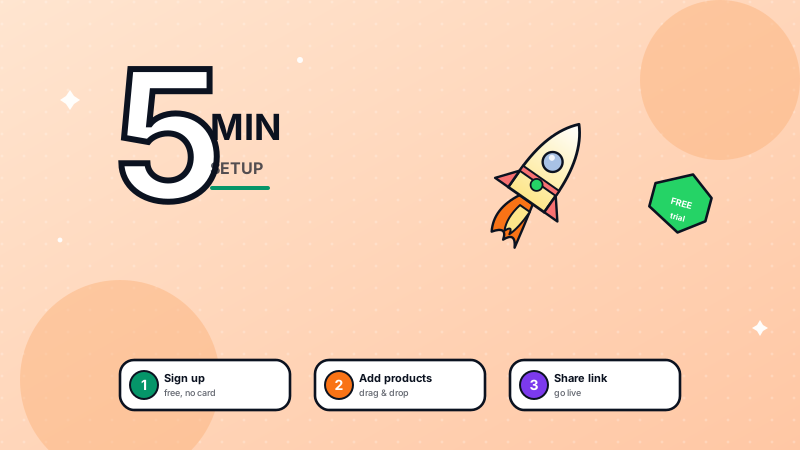
Setting up takes under five minutes from start to first shareable link. The process is entirely no-code.
Step 1: Sign up. Visit the WatEase registration page, enter your business email and phone number, and verify with an OTP.
Step 2: Add business details. Enter your store name, category, and address. These appear on your storefront and on every order receipt.
Step 3: Add your first products. Upload 1–4 images per product, write a short description, set the price, and mark stock as in stock or limited. Use the CSV import to add 100+ products at once. Our catalog best-practices guide covers how to write listings that convert.
Step 4: Connect payments. Turn on UPI for 0% MDR, or connect Razorpay, PhonePe, or Paytm for cards and wallets. Enable cash on delivery if your buyers prefer it. See the payment collection guide for fee comparisons.
Step 5: Share your link. WatEase generates a shareable store link and a QR code. Post it on your WhatsApp status, Instagram bio, and Google Business Profile, and print the QR on packaging and visiting cards.
Your free online store is now live and taking orders. For a deeper, screen-by-screen walkthrough, follow our WatEase store setup guide.
How Much Does a "Free" Online Store Actually Cost to Run?
Starting is free; running it has three small, predictable cost layers — and for low volume they stay near zero. It is important to understand them so "free" doesn't surprise you later.
| Cost layer | What it is | Typical amount |
|---|---|---|
| Platform subscription | A WatEase plan customised to your business | On request |
| WhatsApp message fee | Meta's per-message charge | ~₹0.115 utility, ~₹0.8631 marketing (as of September 2026 — see Meta's pricing) |
| Payment processing | Gateway fee on each sale | UPI ~0%; cards typically around 2% (check your gateway's current pricing) |
A small store doing 50–100 orders a month on UPI can run at very low cost. You can estimate your own messaging bill with the conversation cost calculator. For a complete breakdown, see how much it costs to start an online store in India.
When Should You Add a Website or Move Beyond Free?
Add a website only once you have demand to feed it, and add features to your plan only when volume justifies it. Until then, free is genuinely enough.
Upgrade signals to watch for:
- You want organic discovery from Google — that's when a content-driven website earns its keep, with the WhatsApp store still closing the sale.
- You are handling enough volume that response time bottlenecks — add automation and, later, a shared inbox for staff.
A WhatsApp store and a website are not either/or. WatEase syncs with Shopify and WooCommerce, so you can run both on one catalog when the time comes. Until then, start on the free WhatsApp Business app, validate demand, and reinvest profit — not savings — into growth.
Ready to open your store? Create your WatEase account and be live in the next five minutes. For the platform that powers it, see the official Meta WhatsApp Business Platform documentation.