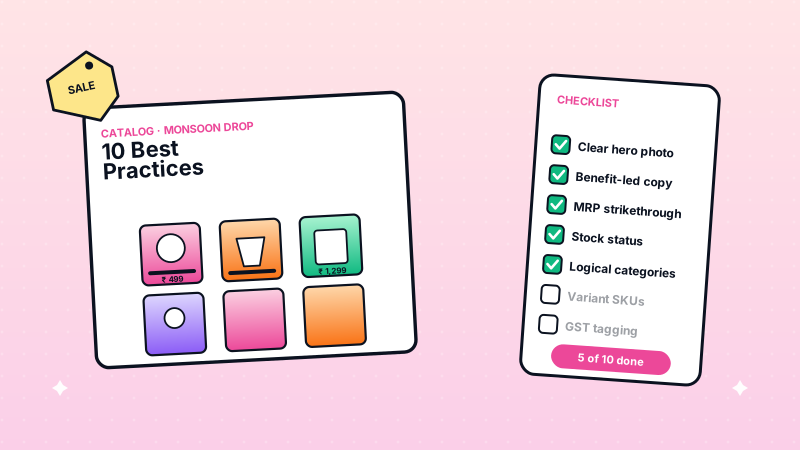
Your WhatsApp catalog is your storefront. Customers judge your entire business by how your products look and read in the chat window. These 10 best practices are drawn from working alongside the merchants in our pilot cohort and from how the highest-performing WhatsApp Business API catalogs in India consistently structure their listings.
How Should You Write Product Titles That Sell?
Product titles should be specific, scannable, and include the details customers search for. Keep titles under 60 characters and front-load the most important information.
Formula: Brand/Type + Key Feature + Size/Variant
| Bad Title | Good Title |
|---|---|
| T-shirt | Men's Cotton Round Neck T-Shirt - Navy Blue (M/L/XL) |
| Face cream | Kumkumadi Night Cream - 50g - For Oily Skin |
| Phone cover | iPhone 15 Silicone Back Cover - Midnight Black |
| Chakli | Homemade Chakli - 250g Pack - Crispy & Fresh |
Avoid all-caps titles, excessive punctuation, or promotional language like "BEST DEAL!!!" in the title. Save offers for the description.
What Makes a Product Description Convert?
A good product description answers the customer's top 3 questions in the first two lines, then adds supporting details. Indian WhatsApp shoppers rarely read beyond 3-4 lines, so put critical information first.
Structure your descriptions like this:
- Line 1 -- What it is and who it is for
- Line 2 -- Key material/ingredient/specification
- Line 3 -- Size, weight, or quantity details
- Line 4 -- Care instructions or usage notes
Example:
Pure cotton kurta for women, perfect for daily wear and office. Fabric: 100% handloom cotton, pre-washed (no shrinkage). Available in S, M, L, XL. Machine washable, gentle cycle.
Mention specifics that matter to Indian buyers: fabric type, vegetarian/non-vegetarian for food, ISI/FSSAI certifications, and warranty details for electronics.
How Should You Photograph Products for WhatsApp?
Product images are among the biggest factors in WhatsApp catalog conversions. You do not need a professional camera -- a smartphone with good lighting produces excellent results.
The 3-image rule for every product:
- Hero shot -- Product on a clean white/light background, filling 70% of the frame
- Detail shot -- Close-up showing texture, material, or key feature
- Context shot -- Product in use or styled (person wearing the kurta, food on a plate)
Technical specifications:
| Aspect | Recommendation |
|---|---|
| Resolution | 800x800 pixels minimum |
| Format | JPEG (smaller file size than PNG) |
| Aspect ratio | 1:1 (square) |
| File size | Under 5MB |
| Background | White or light solid color |
| Lighting | Natural daylight, no harsh shadows |
Avoid using stock photos, watermarked images, or collages with text overlays. WhatsApp compresses images, so text on images becomes unreadable on smaller screens.
Run your business on WhatsApp with WatEase
Set up in minutes with guided onboarding. 0% markup on WhatsApp messages.
Get started →Want a plan sized to you? Get a quote
How Should You Price Products in Your WhatsApp Catalog?
Display both MRP and your selling price. The visible discount is a powerful motivator for Indian shoppers. WatEase automatically calculates and shows the discount percentage.
Pricing best practices:
- Always include GST in the displayed price (Indian consumers expect inclusive pricing)
- Show MRP strikethrough with your selling price to highlight savings
- Round to friendly numbers -- ₹499 works better than ₹487
- Bundle pricing -- Offer "Pack of 3 for ₹999" alongside individual pricing
- Free shipping threshold -- Mention "Free delivery above ₹500" in your store settings
For products with variants (sizes, colors), set the price as the starting price ("From ₹599") and let customers choose their variant during the chat.
How Many Categories Do You Need?
Organize your catalog into 4-8 categories maximum. Too few categories make browsing difficult. Too many overwhelm customers and slow down navigation.
Category structure for common business types:
Fashion store:
- Men's Wear
- Women's Wear
- Kids' Wear
- Accessories
- Sale Items
Food business:
- Snacks & Namkeen
- Sweets & Mithai
- Pickles & Chutneys
- Combo Packs
- Festival Specials
Electronics:
- Mobile Accessories
- Audio
- Charging & Cables
- Smart Home
- Offers
Place your best-selling or highest-margin category first. Customers are most likely to browse the first 2-3 categories they see.
How Often Should You Update Your Catalog?
Update your catalog at least once a week. Stale catalogs with out-of-stock items or outdated prices damage trust and increase customer support queries.
Weekly catalog maintenance checklist:
- Remove or mark out-of-stock items
- Update prices if they have changed
- Add new arrivals (even 2-3 new products keep the catalog fresh)
- Refresh seasonal items (festivals, weather changes)
- Check that all images load correctly
WatEase provides inventory sync features that automatically update stock status when items sell out, reducing manual work.
Should You Use Product Variants or Separate Listings?
Use variants for products that differ only in size, color, or quantity. Create separate listings when products have meaningfully different features or price points.
Use variants when:
- Same product in multiple sizes (S/M/L/XL)
- Same product in different colors
- Same product in different quantities (250g, 500g, 1kg)
Use separate listings when:
- Products look different (different designs in same category)
- Price difference is more than 40%
- Products have different descriptions or features
Separate listings get their own images, making browsing more visual. Variants keep your catalog concise and easier to navigate.
How Do You Write Descriptions for Food and Perishable Products?
Food products require specific information that Indian customers expect. Missing these details leads to questions in chat, slowing down orders.
Essential details for food products:
- Ingredients list (mention common allergens)
- Net weight or quantity
- Shelf life and storage instructions
- FSSAI license number
- Vegetarian/non-vegetarian marking
- "Best before" or "Made fresh on order" indication
Example food description:
Homemade Besan Ladoo - Pure Ghee (12 pieces, ~500g). Ingredients: Besan, desi ghee, sugar, cardamom, cashews. 100% vegetarian. Shelf life: 15 days at room temperature. FSSAI: 12345678901234. No preservatives or artificial colors.
How Can You Use Your Catalog to Upsell and Cross-Sell?
Strategic catalog organization naturally leads to larger order values. Position complementary products near each other and create combo listings.
Upselling tactics:
- Create "Combo Pack" or "Value Bundle" categories
- Add a premium variant for popular products ("Regular" and "Premium" listings)
- Include "Frequently Bought Together" suggestions in product descriptions
Cross-selling in descriptions:
Add a line like "Goes well with our [related product]" in your descriptions. On WatEase, automated order messages can suggest complementary products after a purchase.
For retail businesses, WatEase provides advanced catalog features including dynamic recommendations and smart search.
How Do You Measure Catalog Performance?
Track these metrics to understand what is working and what needs improvement in your catalog.
| Metric | What It Tells You | Target |
|---|---|---|
| Catalog views per day | Overall interest | Growing week over week |
| Product view-to-order rate | Listing effectiveness | Above 5% |
| Most viewed but not purchased | Pricing or description issues | Investigate top 5 |
| Average order value | Upselling effectiveness | Growing over time |
| Return/refund rate | Description accuracy | Below 3% |
WatEase analytics dashboard shows these metrics in real-time. Use the data to continuously improve your product listings, remove underperformers, and double down on what sells.
Start building your optimized catalog today. Create your WatEase store and follow these practices from day one. For payment setup guidance, read our payment collection guide.
For the underlying catalog feature details and limits, see the official WhatsApp Business Catalog documentation. If you also want your catalog pages to surface in Google AI Overviews and ChatGPT product-recommendation answers, our Answer Engine Optimization (AEO) guide covers the structured-data pattern that pairs well with WhatsApp catalogs.