Indian restaurants and food businesses are rapidly adopting WhatsApp ordering to reduce dependency on aggregator platforms, cut commission costs, and build direct relationships with their customers. This guide walks you through everything you need to set up a complete WhatsApp ordering system for your food business.
Why Should Indian Restaurants Use WhatsApp for Orders Instead of Aggregator Apps?
Restaurants should use WhatsApp ordering because it eliminates the per-order commission charged by food aggregators (commonly reported in the 18-30% range) while giving full control over customer relationships and data. As an illustration, for a restaurant doing ₹5 lakhs in monthly orders through Swiggy or Zomato, an 18-30% commission would work out to roughly ₹90,000-1,50,000 every month.
Beyond cost savings, WhatsApp ordering offers several advantages specific to Indian food businesses:
- Direct customer access: You own the customer relationship instead of the aggregator
- Higher margins: No commission means you can either increase profits or offer better prices
- Menu flexibility: Update your menu instantly without waiting for aggregator approval
- Personalization: Remember customer preferences and suggest favorites
- Loyalty building: Reward repeat customers directly through WhatsApp
Restaurants across India — from cloud kitchens in Mumbai to dhabas in Punjab — are discovering that customers who order through WhatsApp tend to have a higher lifetime value than those acquired through aggregator platforms (WatEase restaurant cohort, internal benchmark, methodology on request, as of 2025).
Platforms like WatEase make it straightforward to set up a professional WhatsApp ordering system that rivals the convenience of any food delivery app.
How Do You Set Up a WhatsApp Menu for Your Restaurant?
Setting up an effective WhatsApp menu requires a structured catalog that is easy to browse, visually appealing, and simple to order from. The goal is to replicate the app-like ordering experience within WhatsApp.
Create your digital menu catalog:
- Photograph every dish with consistent lighting and plating. Restaurants with clear, professional food photos typically see noticeably more orders than those using text-only menus
- Organize by category: Starters, Main Course, Breads, Beverages, Desserts. Add subcategories like Veg/Non-Veg for Indian menus
- Price clearly: Include GST in displayed prices to avoid surprises at checkout
- Mark bestsellers: Tag your top 5-10 dishes as "Popular" or "Chef's Special"
- Add customization options: Spice level, portion size, and add-ons should be clearly listed
Menu format options:
- WhatsApp Catalog: Native catalog feature with product cards — best for restaurants with under 50 items
- Interactive list messages: Allow customers to browse and select items within the chat — ideal for daily-changing menus
- PDF menu with quick-order buttons: Send a visual PDF menu with numbered items for easy ordering
The most effective approach combines a WhatsApp catalog with interactive buttons that let customers add items, customize orders, and checkout — all without leaving the conversation.
What Does the Ideal WhatsApp Order Flow Look Like for Restaurants?
The ideal WhatsApp order flow takes a customer from menu browsing to order confirmation in under 3 minutes, with minimal typing required. Here is the proven flow that top-performing Indian restaurants use.
Step 1 — Greeting and menu access (0-30 seconds) When a customer messages your WhatsApp number, an automated greeting welcomes them and presents options: "View Menu", "Repeat Last Order", "Track Order", or "Talk to Us". This instant response sets the tone.
Step 2 — Menu browsing and selection (30-90 seconds) The customer browses your catalog or interactive menu. They tap items to add them to their order. Smart suggestions based on their selection appear — "Add a refreshing lassi?" or "Most customers pair this with garlic naan."
Step 3 — Customization and confirmation (90-120 seconds) The system presents the complete order summary with item details, quantities, customizations, and total price. The customer confirms or modifies the order with simple button taps.
Step 4 — Payment (120-150 seconds) A UPI payment link is generated instantly. The customer pays through Google Pay, PhonePe, Paytm, or any UPI app. Payment confirmation is automatic.
Step 5 — Kitchen notification and tracking The confirmed order is sent directly to your kitchen display or printer. The customer receives an estimated preparation time and can track their order status in real-time through the same WhatsApp chat.
This entire flow can be automated using WatEase's restaurant ordering solution, requiring zero manual intervention for standard orders.
Run your business on WhatsApp with WatEase
Set up in minutes with guided onboarding. 0% markup on WhatsApp messages.
Get started →Want a plan sized to you? Get a quote
How Should Restaurants Manage Delivery Through WhatsApp?
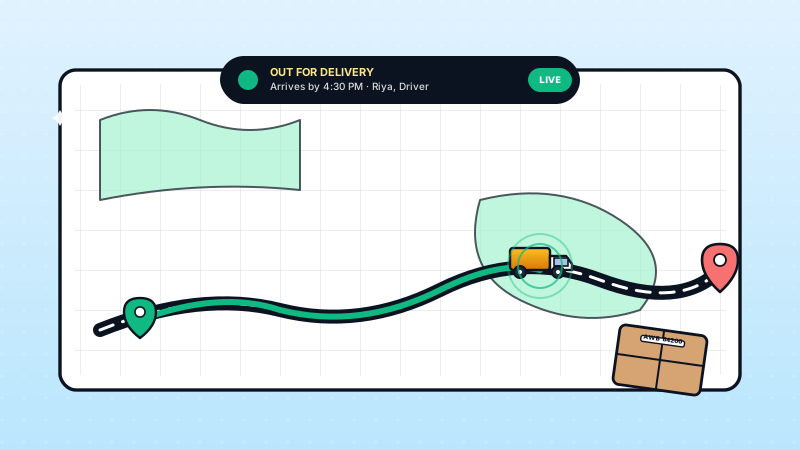
Delivery management through WhatsApp works best when it combines automated status updates with real-time location sharing, giving customers full visibility into their order journey.
For restaurants with their own delivery fleet:
- Assign orders to delivery partners through an internal WhatsApp group or dashboard
- Share customer location and order details with the delivery person automatically
- Enable live location sharing between delivery partner and customer
- Send automated updates: "Your order is being prepared", "Out for delivery", "Arriving in 5 minutes"
For restaurants using third-party delivery:
- Integrate with Dunzo, Porter, or Shadowfax APIs for on-demand delivery
- Auto-dispatch delivery requests once the kitchen marks an order as ready
- Track delivery status and relay updates to the customer through WhatsApp
Key delivery metrics to track:
- Average delivery time by area
- Customer ratings per delivery
- Order accuracy rate
- Peak hour delivery capacity
Restaurants in Hyderabad and Chennai that implemented structured WhatsApp delivery management reported fewer delivery complaints and faster average delivery times within the first month.
For dine-in and takeaway orders, the flow is simpler — customers receive a notification when their order is ready for pickup, along with a token number.
How Do Kitchen Notifications and Order Management Work on WhatsApp?
Kitchen notifications through WhatsApp ensure that every order reaches the right preparation station instantly, with clear details that eliminate errors and reduce preparation time.
The system works through a combination of automated messages and a kitchen dashboard:
- New order alert: When a customer confirms an order, the kitchen receives an instant WhatsApp notification with complete order details — items, quantities, customizations, and special instructions
- Priority tagging: Orders are tagged by type (dine-in, takeaway, delivery) and urgency. Delivery orders that need to travel farther are automatically prioritized
- Preparation timer: Each order starts a timer based on estimated prep time. If an order exceeds its time limit, an escalation alert is sent to the manager
- Status updates: Kitchen staff update order status (preparing, ready, dispatched) with a single tap, triggering automatic customer notifications
For multi-outlet restaurants, WatEase's platform routes orders to the nearest kitchen based on the customer's delivery address, balancing load across locations during peak hours.
Common kitchen integration patterns:
- WhatsApp notifications to a dedicated kitchen phone or tablet
- Integration with KOT (Kitchen Order Ticket) printers
- Dashboard view for order queue management
- Voice alerts for new high-value orders
Restaurants that implement structured kitchen notifications generally see fewer order preparation errors and shorter average preparation times.
What Are the Best Practices for Growing Your Restaurant's WhatsApp Orders?
Growing your WhatsApp order volume requires a mix of customer acquisition, retention strategies, and operational excellence that keeps customers coming back.
Customer acquisition tactics:
- Print your WhatsApp number with a QR code on every bill, menu card, and delivery package
- Offer a first-order discount (10-15%) for customers who order through WhatsApp
- Add a "Order on WhatsApp" button to your Google My Business listing and social media profiles
- Run targeted WhatsApp ads through Facebook/Instagram with click-to-WhatsApp CTAs
Retention strategies that work:
- Meal reminders: Send lunch menu suggestions at 11 AM and dinner options at 6 PM to regular customers
- Loyalty program: Every 10th order gets a free dessert or drink — tracked automatically through WhatsApp
- Feedback collection: Ask for ratings after each delivery and address complaints within 15 minutes
- Birthday and anniversary offers: Send personalized discount codes on special occasions
Operational excellence:
- Maintain response time under 30 seconds during operating hours
- Keep your menu updated daily, especially for items that run out
- Train staff to handle edge cases — allergies, special requests, bulk orders
- Monitor and optimize your order-to-delivery time weekly
Ready to transform your restaurant's ordering system? Sign up for WatEase and start accepting WhatsApp orders within 24 hours. Our restaurant-specific templates and workflows get you operational faster than any other platform.
The restaurants that win in 2026 are those that own their customer relationships. WhatsApp ordering makes that possible while saving lakhs in aggregator commissions every month.
Illustrative channel economics for an Indian restaurant doing ₹5L/month in delivery orders. Aggregator commission figures below are commonly-reported ranges, not WatEase-measured rates, and vary by city, cuisine, and plan:
| Channel | Commission / cost (typical reported) | Customer data ownership | Repeat-order automation |
|---|---|---|---|
| Zomato | ~18–25% commission | None (aggregator owns) | Limited |
| Swiggy | ~18–30% commission | None | Limited |
| Custom mobile app | ₹2–10 lakh build + maintenance | Yes | Yes (low adoption) |
| WhatsApp Business API (via WatEase) | ₹2,500–₹5,000/month + Meta fees (~1–2% of GMV) | Yes (full) | Yes (high engagement) |
For the underlying API capabilities, see the official WhatsApp Business Platform documentation.
Tell us your use case on our pricing page and we quote a plan that fits your food business.