What Is a Unified Instagram Analytics Dashboard?
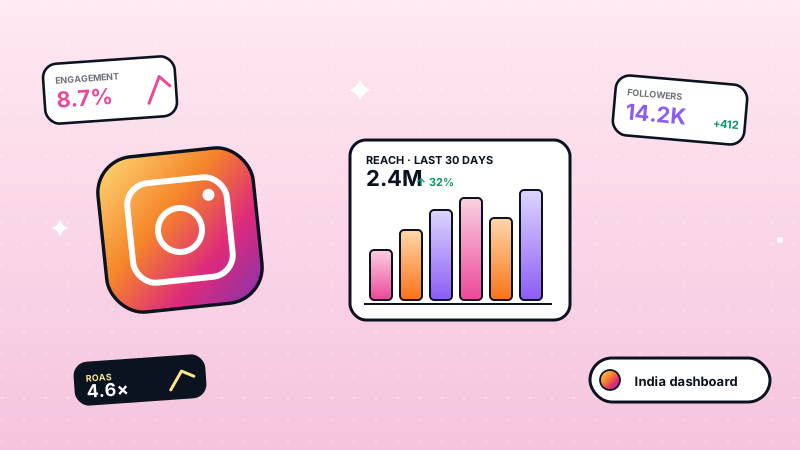
A unified Instagram analytics dashboard is a single screen that pulls every metric Meta exposes about your Instagram Business account — reach, engagement, follower growth, story exits, reel watch time — and shows them next to the rest of your customer-facing channels like WhatsApp, email, and Facebook. Instead of bouncing between Meta Business Suite, a CRM, and a spreadsheet, you see the entire customer journey in one place.
That last part matters. A like on Instagram only counts if it eventually turns into a conversation, a sale, or a return customer. WatEase was built around this idea: Instagram is the discovery layer, WhatsApp is the conversion layer, and a unified dashboard is what ties them together for Indian SMBs that cannot afford to run three separate tools.
This post breaks down exactly which metrics WatEase tracks, why "unified" is the differentiator, and how features like comment-to-DM automation turn passive engagement into measurable revenue. For Indian D2C brands building organic discovery alongside Instagram, our SEO playbook for Indian D2C brands covers the search-engine half of the funnel.
Which Instagram Metrics Actually Predict Business Outcomes?
There are dozens of numbers Instagram surfaces, but only a handful of them correlate with sales. The WatEase dashboard groups them into three tiers so you can focus your attention.
Account-Level Metrics (Daily Sync)
These tell you how your overall presence is performing.
- Reach — unique users who saw your content
- Views — total impressions across feed, reels, and stories
- Accounts Engaged — unique accounts that interacted with your profile
- Total Interactions — sum of likes, comments, saves, shares, and replies
- Profile Links Taps — clicks on the link in your bio (the highest-intent action on Instagram)
- Follower Count — daily trend with day-over-day percentage change
Media-Level Metrics (Per Post, Reel, Story)
These tell you which content is doing the heavy lifting.
- Likes, Comments, Saves, Shares — the four engagement actions, broken out individually because saves and shares correlate with intent far better than likes
- Follows From Post — new follows directly attributable to a single piece of content
- Profile Visits — profile views generated by the post
- Engagement Rate — calculated as total engagement divided by reach, multiplied by 100
- Reel Average Watch Time — in milliseconds, the single best signal of reel quality
- Story Navigation — forward taps, back taps, and exits, so you can spot where viewers drop off
- Story Replies — direct replies to a story, the warmest possible Instagram lead
Audience and Behaviour
These tell you who you are reaching and when.
- Age and Gender Breakdowns — for both followers and engaged audience
- Top Cities and Top Countries — last 30 days
- Best Time to Post — a 7-day by 24-hour heatmap weighted by your audience's online activity
Every metric in this list is pulled from the live Meta Graph API and stored in your WatEase workspace. No estimates, no proxies — these are the same numbers Meta uses internally.
Why Is "Unified" the Keyword — and Not Just "Instagram Analytics"?
Most Instagram analytics tools stop at Instagram. That is fine if Instagram is the only place you talk to customers. For Indian SMBs, it almost never is.
A typical customer journey looks like this: someone discovers your brand on an Instagram reel, comments asking about price, slides into your DMs, and finally completes the purchase on WhatsApp because they want to negotiate or confirm delivery. If your analytics live in three different tools, that one customer shows up as three different rows. You cannot tell which reel actually drove the sale.
WatEase solves this with cross-channel identity merge. When the dashboard detects the same person across Instagram, WhatsApp, and email — by handle, phone number, or email match — it consolidates them into a single contact. You can then see:
- The reel they engaged with
- The comment they left
- The auto-DM that went out in reply
- The WhatsApp conversation that followed
- The order they placed
All attributed back to the original Instagram post. This is the difference between vanity metrics and revenue metrics, and it is what makes the dashboard worth opening every day.
Run your business on WhatsApp with WatEase
Set up in minutes with guided onboarding. 0% markup on WhatsApp messages.
Get started →Want a plan sized to you? Get a quote
How Does Comment-to-DM Automation Turn Instagram Into a Revenue Channel?
Comments are the most common form of Instagram engagement and the most wasted. Most brands either ignore them or reply manually long after the customer has lost interest.
WatEase ships a comment-to-DM automation engine that closes the loop in seconds. The setup is simple:
- You define a keyword rule on a specific post or reel — for example, "INFO" or "PRICE."
- When anyone comments with that keyword, WatEase fires a public reply (optional) and a private DM with the content you specified — typically a price list, catalogue link, or booking form.
- Every rule hit is logged, so you can see exactly which posts are driving which DM volumes.
This single workflow has reshaped how Indian SMBs use Instagram.
- A jewellery boutique posts a reel of a new collection, asks viewers to comment "PRICE," and auto-DMs the rate card to every interested buyer.
- A fashion D2C brand runs a giveaway where commenting a keyword triggers a discount code DM, capturing a large batch of warm leads in a single day.
- A coaching institute posts about a new batch, asks for "ADMIT," and auto-DMs the application form.
The downstream impact is the part most tools miss: once that DM lands, the conversation continues inside WatEase's WhatsApp and Instagram inbox, where agents or chatbots can take over. The lead never goes cold, and every interaction is attributed back to the original post in the dashboard.
Note: Instagram only allows a private DM reply within 7 days of the comment, per Meta policy. WatEase respects this window and surfaces a warning if a rule risks falling outside it.
How Do You Measure Instagram ROI Inside the Dashboard?
Engagement metrics are useful, but founders and marketing heads ultimately want one number: did this work?
WatEase tracks campaign-level ROI by capturing four data points per day for each boosted post or campaign:
- Spend — money put behind the post (₹)
- Revenue — orders or bookings attributable to the campaign
- Conversions — number of completed purchases or sign-ups
- Clicks — link taps that left Instagram for your destination
The dashboard computes ROAS (Return on Ad Spend) and ROI automatically using the standard formula:
ROI = (Revenue from campaign − Cost of campaign) / Cost of campaign × 100
Because identity merge ties Instagram engagement to the eventual WhatsApp order, revenue attribution is end-to-end. You are not relying on UTM links or last-click guessing — the conversion is provable.
Indian SMBs running disciplined Instagram + WhatsApp combos can see meaningfully positive ROAS on boosted posts, with the strongest returns typically concentrated in festival windows (Diwali, Raksha Bandhan, Eid) and category launches. Actual results vary by category, creative, and budget — there is no guaranteed return.
What Does "Best Time to Post" Actually Mean for Indian Audiences?
Generic advice says "post between 7 and 9 PM IST." That is directionally correct for India, but it is not your data.
The WatEase dashboard builds a personal heatmap of your audience — 7 days across, 24 hours down — weighted by when your specific followers are actually online and engaging. Coffee retailers see morning peaks. Wedding photographers see late-night spikes. Education brands see lunch-hour and post-dinner clusters.
The heatmap pulls from Meta's online_followers data and overlays it with your own historical engagement, so it learns over time. The longer you run the dashboard, the sharper the recommendation gets. New brands inherit the India-wide baseline (7-9 PM IST, Sundays strongest) and graduate to their own pattern within four to six weeks.
This is the kind of metric that quietly compounds: even a modest reach bump from posting at the right time, applied across dozens of posts a year, adds up to a lot of free reach.
How Is This Different From Meta Business Suite or Third-Party Tools?
Three tools dominate this space, and each has a clear gap. Here is how they compare.
| Capability | Meta Business Suite | Generic Analytics Tool | WatEase |
|---|---|---|---|
| Account + media + story metrics | Yes | Yes | Yes |
| Demographic breakdowns | Yes | Partial | Yes |
| WhatsApp + Instagram in one view | No | No | Yes |
| Cross-channel identity merge | No | No | Yes |
| Comment-to-DM automation | Limited | Add-on | Built-in |
| Campaign ROAS with revenue attribution | Partial (ads only) | Manual | Automatic |
| Best-time heatmap personalised to your audience | No | Some | Yes |
| UPI, GST invoicing on resulting orders | No | No | Yes |
| Pricing for Indian SMBs | Free | $30-$300/month | Priced on request |
The pattern is clear. Meta Business Suite is excellent for Instagram in isolation. Generic tools add scheduling and reports but stop at the channel boundary. WatEase is built for the SMB that needs Instagram, WhatsApp, payments, and CRM in one stack — at India-friendly pricing.
Which Industries Get the Most Out of an Instagram + WhatsApp Dashboard?
Any business that runs a visual product on Instagram and converts on WhatsApp benefits. A few stand out.
- Fashion and apparel — high engagement on reels, strong comment-to-DM intent, and price-driven WhatsApp closes.
- Jewellery — visual catalogues drive saves and shares, while WhatsApp handles the high-value conversation.
- Hospitality — story polls and location tags surface booking intent that converts on WhatsApp.
- Fitness and wellness — class schedules and transformation reels drive sign-ups via DM, then nurture on WhatsApp.
- Retail — multi-SKU brands using Instagram for new-arrival drops and WhatsApp for personalised consultations.
If you run a service business or a D2C brand and Instagram is your top-of-funnel, this is the dashboard you have been wanting.
How Do You Get Started With WatEase's Instagram Dashboard?
The setup is built to be SMB-friendly — no developer required.
- Sign up for WatEase and tell us your use case on the pricing page so we can quote a plan that fits.
- Connect your Instagram Business or Creator account through the Meta-approved OAuth flow. Make sure it is linked to a Facebook Page first.
- Set up your first comment-to-DM rule on an existing post — start with a low-stakes keyword like "INFO" to learn the workflow.
- Invite your WhatsApp number so identity merge can begin tying Instagram engagement to WhatsApp conversations.
- Open the Marketing Insights dashboard after 48 hours and review the first round of metrics. You will have account-level data immediately and a full picture inside a week.
The dashboard is part of WatEase — there is no separate "analytics add-on." If Instagram is part of your growth story, get started and have your unified dashboard live before the end of the day.
For the canonical reference on the Instagram Graph API powering this dashboard, see the official Meta Instagram Graph API documentation. And to land in Google AI Overviews when buyers research products you also sell on Instagram, our Answer Engine Optimization (AEO) guide covers the structured-content patterns that complement an Instagram-led growth strategy.